Android
Reminders you can’t miss.
At the due time the task takes over the screen, even on a locked phone. Complete it, snooze 10, 30 or 60 minutes, or call the customer.
Free during launch
Brave CRM catches enquiries from IndiaMART, WhatsApp and your website, shows you who’s calling, reminds you loudly, and turns quotations into paid invoices — from your phone or the web.
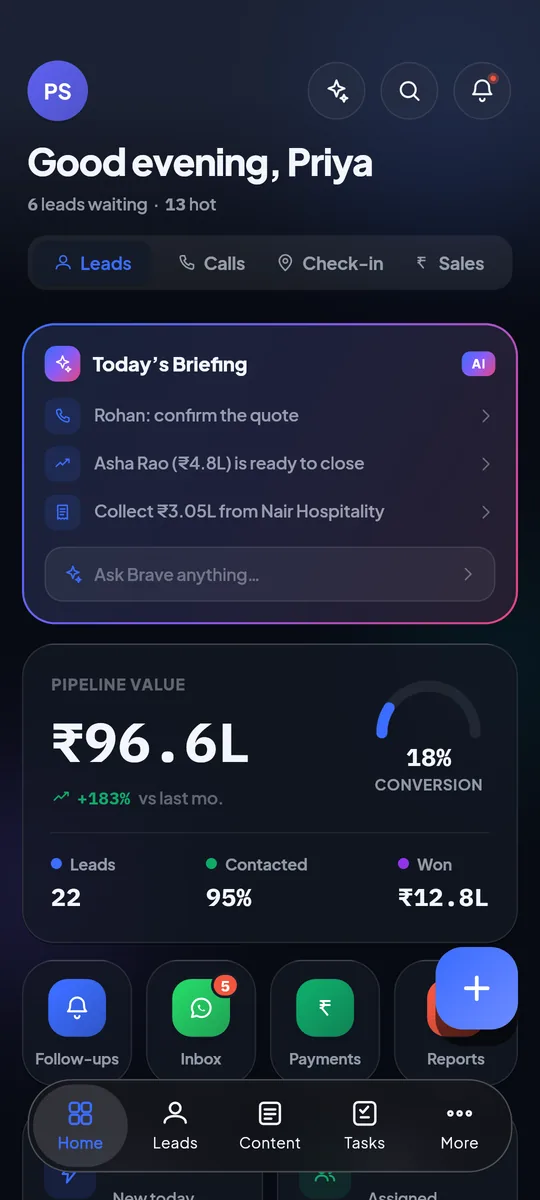
The problem
The enquiry sits in the IndiaMART panel, the number in an Excel sheet, the chat in someone’s personal WhatsApp, the quotation in Word and the follow-up in somebody’s head. Every hand-off between them is a place where a lead goes quiet.

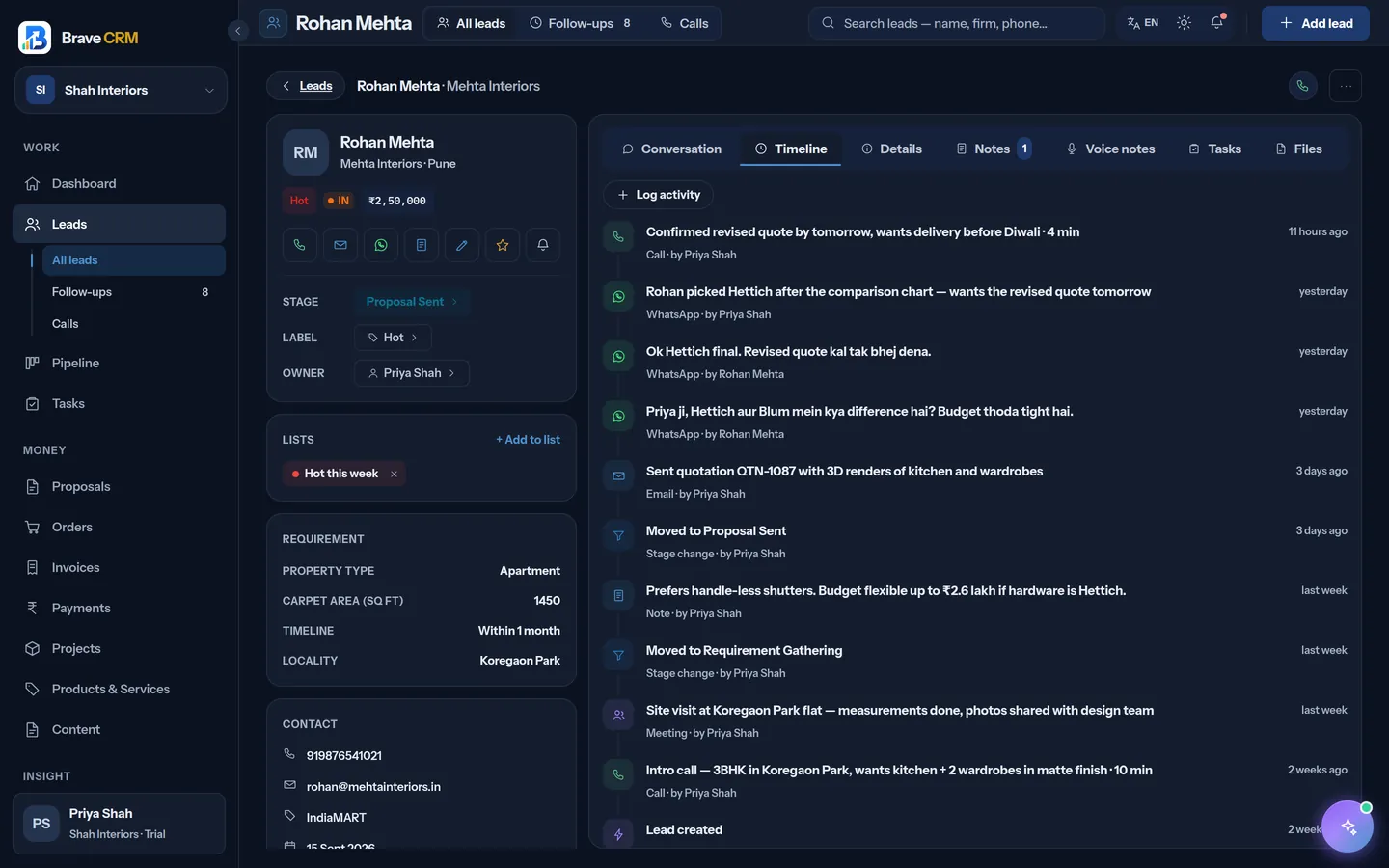
One app: Brave CRMThe enquiry, every call and chat, the quotation, the invoice and the payment — on one record your whole team can see.
How it works
How Shah Interiors, an interiors studio in Surat, takes an enquiry all the way to a paid invoice. Real screens, demo data.
1Monday, 11:02
An IndiaMART buyer asks for a quote. Brave pulls the enquiry in on its 15-minute sync, hands it to the next salesperson in the round-robin and sends a push to her phone. Nobody copies anything out of a panel.
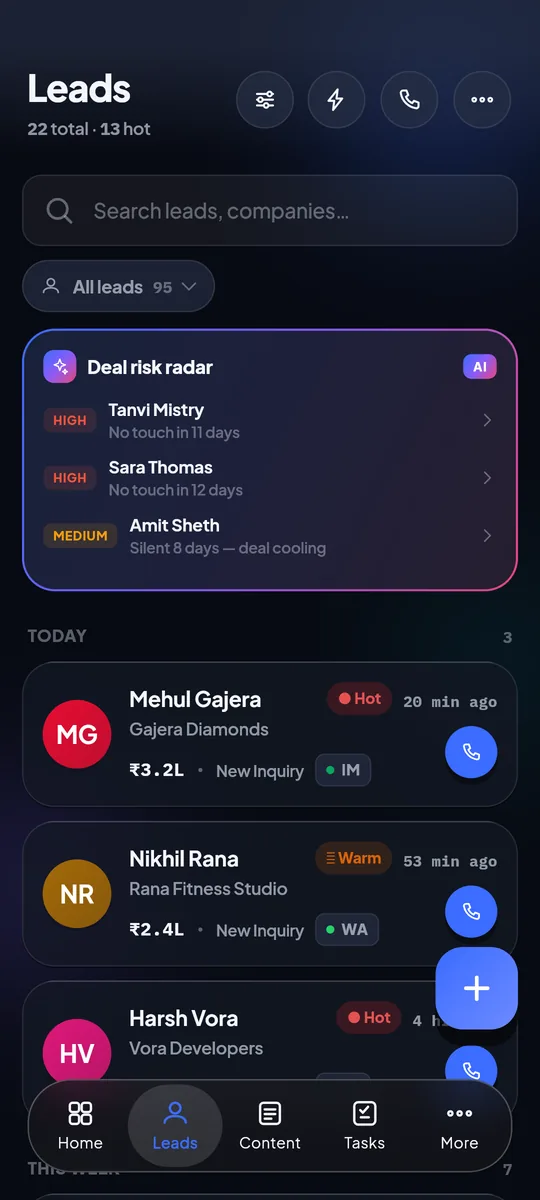
2Monday, 6:40 PM
When the buyer calls back, Priya sees their name, stage, score and deal value on top of the ringing screen — before she answers. After the call the log is already on the lead, next to Brave’s suggested next step.
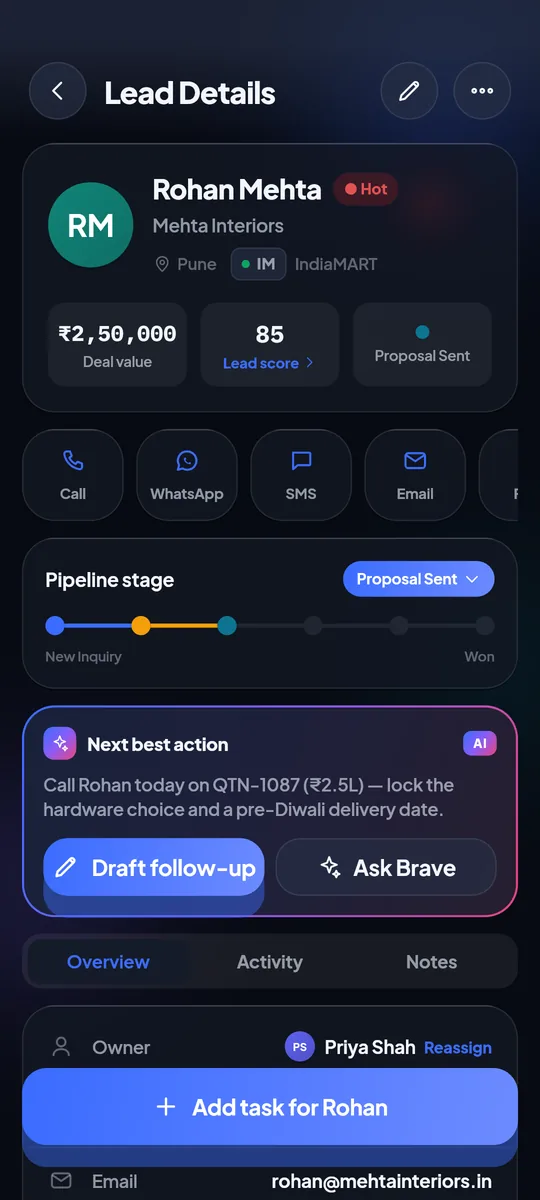
3Thursday, 5:30 PM
Every open lead has a dated next step, and Brave suggests the ones you would forget. When a task falls due the reminder doesn’t just buzz — it fills the screen like an alarm, with Mark complete, Snooze and Call.
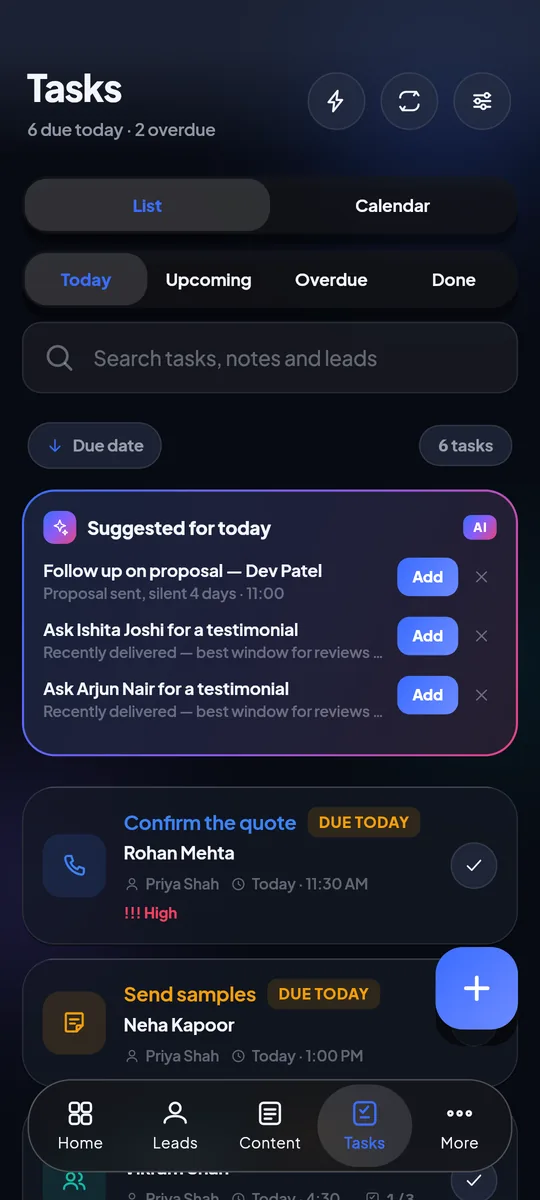
4Thursday, 5:34 PM
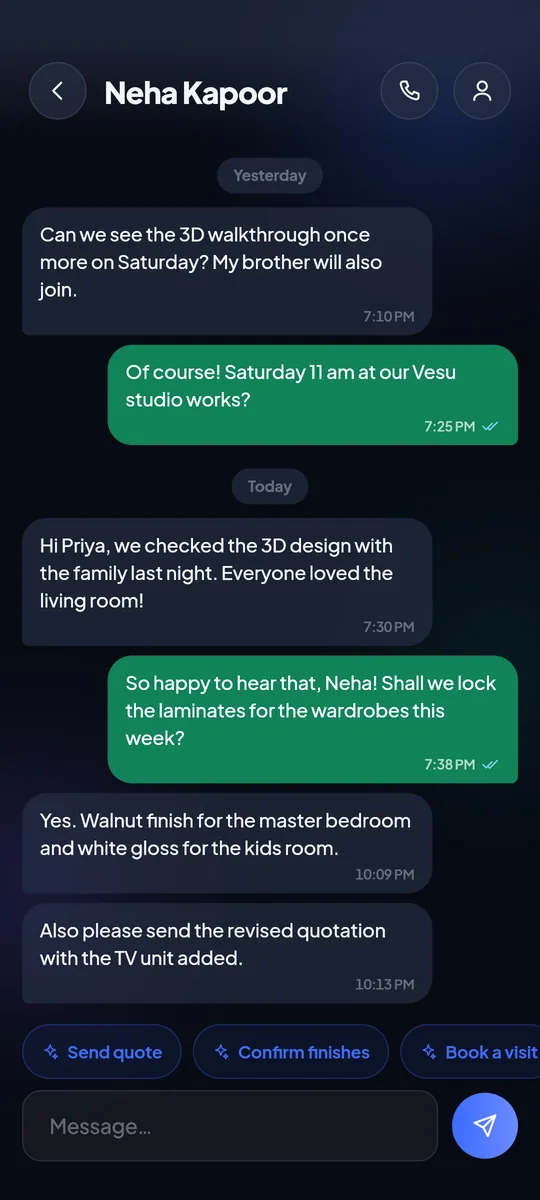
The customer asks for a revised quotation on WhatsApp. Priya builds it from her products catalogue — GST, numbering and an A4 PDF included — and sends it from the same chat. When they say yes, it becomes an order and an invoice without retyping a line.
5The following week
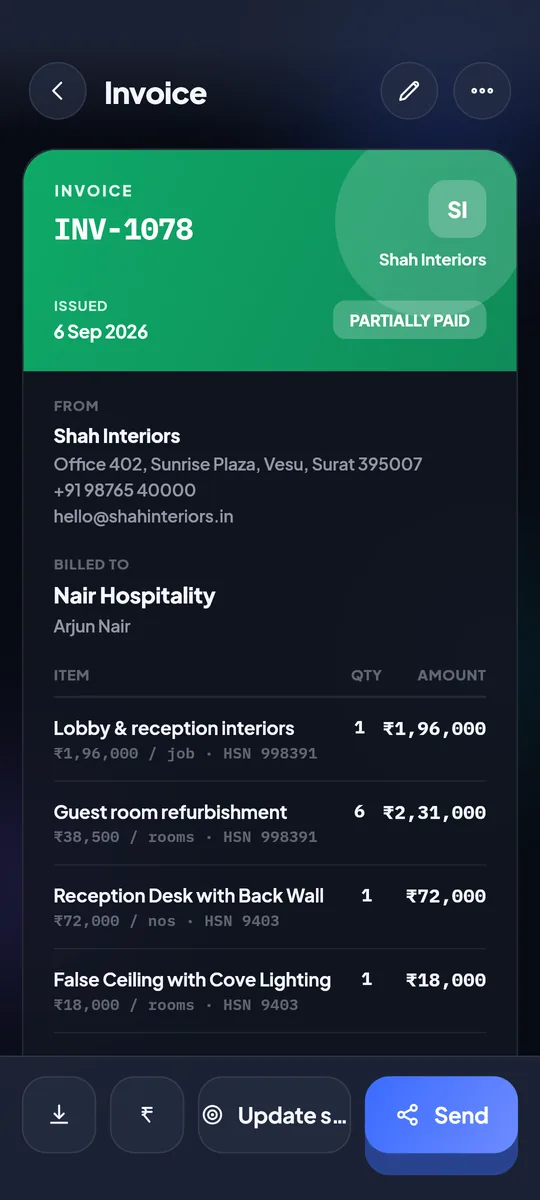
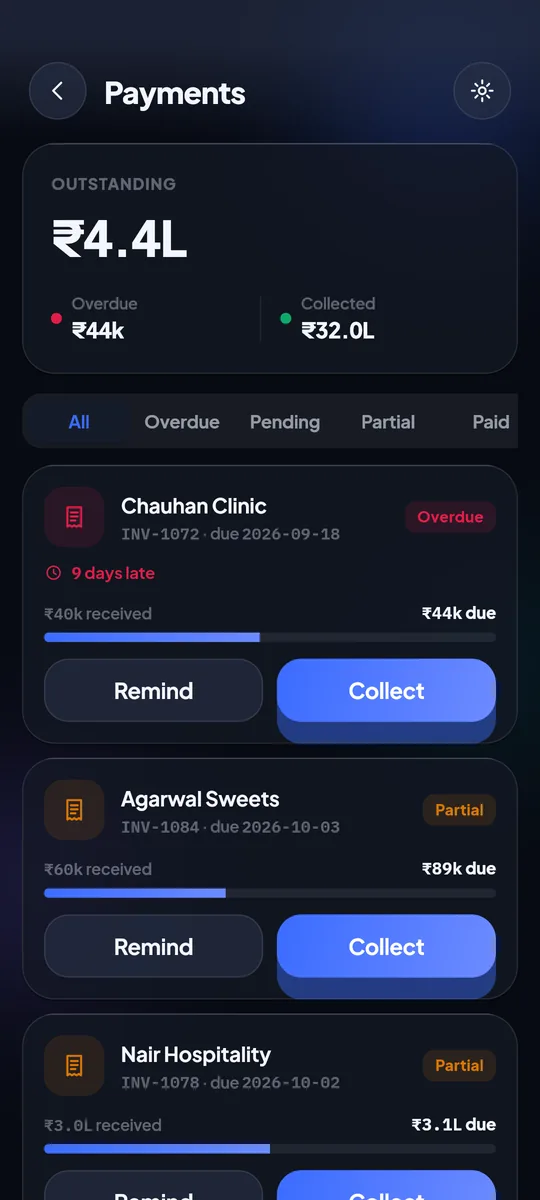
The invoice goes out with a Razorpay UPI link that marks it paid when the money lands. Part payments are recorded against it, and if it slips overdue, automatic WhatsApp reminders — once you switch them on — go out between 10am and 7pm.
Features
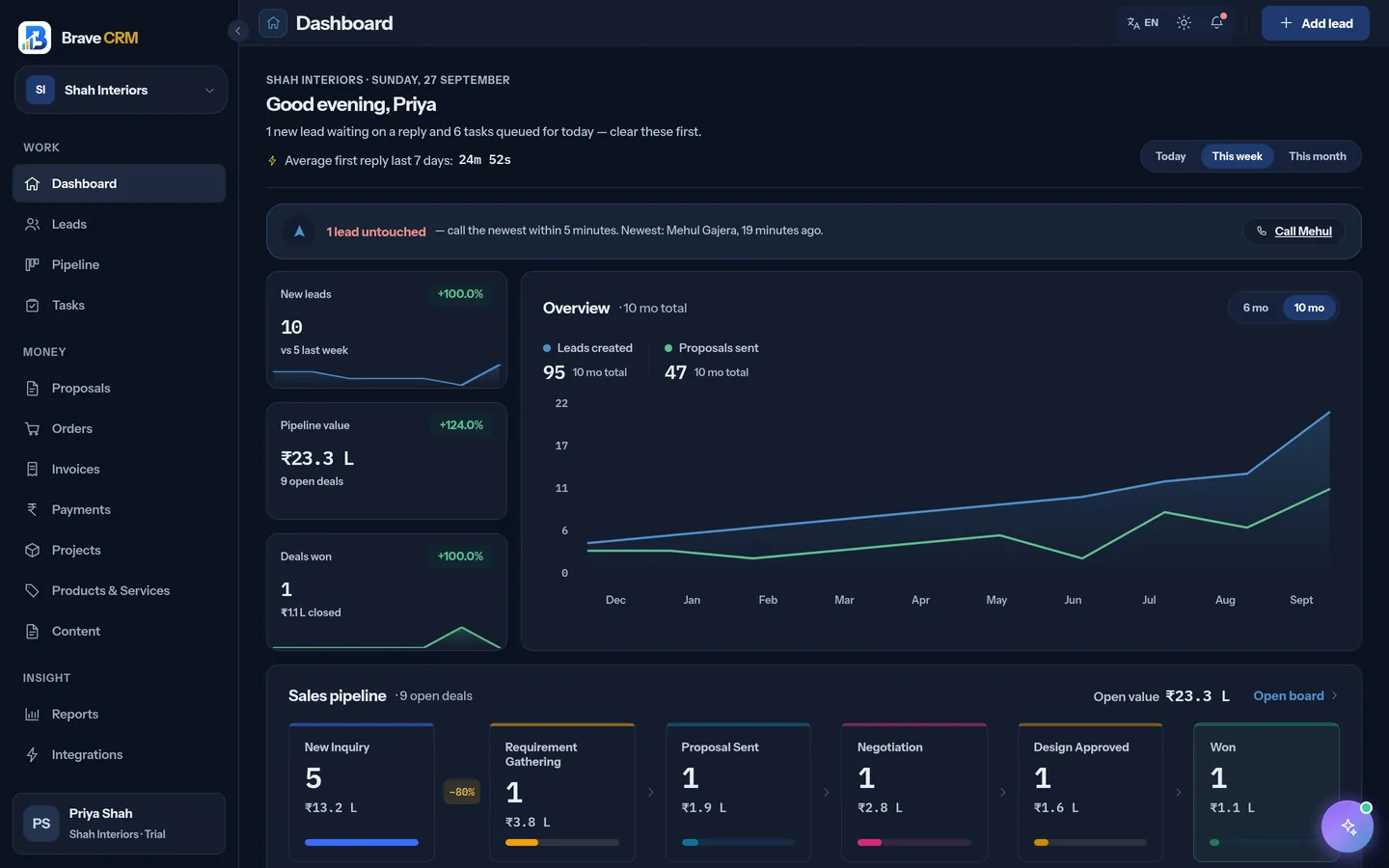
Six things Brave CRM does that a spreadsheet and a phone can’t. The full list is on the features page.
At the due time the task takes over the screen, even on a locked phone. Complete it, snooze 10, 30 or 60 minutes, or call the customer.
Name, company, stage, score, deal value, the last conversation and the next task — drawn over the incoming call. A number you don’t know? Add it as a lead from the same card.
Today’s Briefing lists who to call, what’s overdue and which deals are going quiet. On Android, Ask Brave answers questions about your pipeline in plain words.
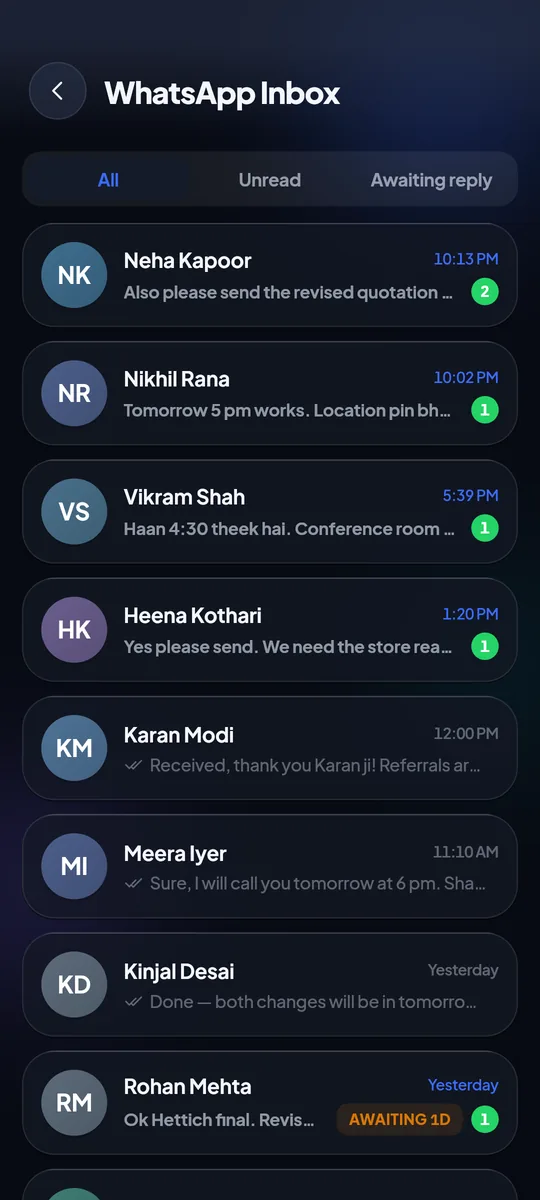
Chats on your WhatsApp Business number land in a shared inbox, on the lead. A new number becomes a new lead.
Every lead gets a score from 0 to 100 with the reasons spelled out. Save the lists you work daily and act on 200 leads at once.
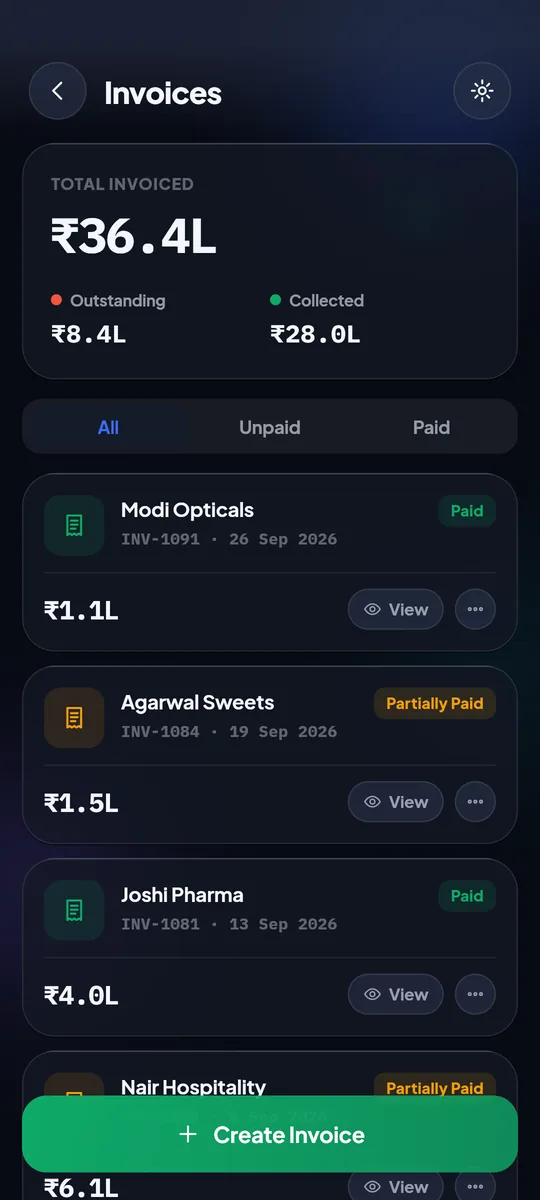
Turn an accepted quotation into an order and a GST invoice, send a Razorpay UPI link, and watch it mark itself paid.
Brave AI
It works from your own leads, calls, chats and invoices: a briefing in the morning, a summary after every call, the next step on every lead, and a draft whenever you need to write.
Who to call, what’s overdue and what’s at risk, every morning.
One suggested step on every lead, with the reason.
Deals going quiet are flagged before they’re lost.
WhatsApp and email drafts in the tone you pick.
Transcript, sentiment and commitments. Hinglish included.
How your pipeline moved this week, in one read.
Integrations
20 integrations, picked for how Indian businesses get enquiries. IndiaMART is pulled every 15 minutes — there’s no webhook to set up.
 IndiaMART
 Facebook Lead Ads
 Google Lead Form
 WhatsApp Business
 JustDial
 99acres
 MagicBricks
 Housing.com
 TradeIndia
 Razorpay
 WordPress
 MyOperator
 CallerDesk
 Zapier
 Pabbly
 Facebook Audience
 ZeptoMail
India-first
Amounts in rupees, deal values in lakhs, and GST fields on every quotation and invoice.
IndiaMART, JustDial, TradeIndia, ExportersIndia, 99acres, MagicBricks and Housing.com, connected in minutes.
A team inbox, approved templates and payment reminders on the app your customers actually read.
Razorpay UPI links on invoices, marked paid the moment the money lands.
The Android app works in English and Gujarati — pick your language in settings.
Call intelligence follows the way your team really talks to customers.
Android + web
The Android app is built for one-handed work between site visits. The web app gives the office the full picture on a big screen. One account, the same data, both included.
On an iPhone? The web app works in Safari today.
₹0
Everyone who signs up now gets all of Brave CRM — Android app and web app — with no card needed. We’ll announce pricing well in advance.
See what’s includedYes. During launch, everyone who signs up gets every feature for ₹0, with no card needed. We’ll announce pricing well in advance, so nothing changes by surprise. See what’s included.
Not yet. The Android app is on Google Play, and the web app works in any modern browser — including Safari on iPhone, iPad and Mac.
Yes. Paste your IndiaMART CRM key once and new enquiries arrive every 15 minutes, handed out by the distribution rules you set. JustDial, TradeIndia, ExportersIndia, 99acres, MagicBricks, Housing.com, Facebook and Google lead forms connect too.
The shared inbox uses the official WhatsApp Business Platform (Cloud API), so you connect a WhatsApp Business number once. Without it, Brave still opens WhatsApp on your phone with the message ready to send.
Yes. Invite teammates, give each one a role — owner, admin, manager or sales — and hand out leads by round-robin, by workload or by source.
Your data is encrypted in transit and stored on servers in India. It belongs to your business: no ads, no selling data, two-factor sign-in, and you can export it or delete your account at any time. Read the privacy policy.
From the blog
Get Brave CRM on your Android phone, or open the web app on any computer. It’s free during launch — no card needed.